
What does this error mean?
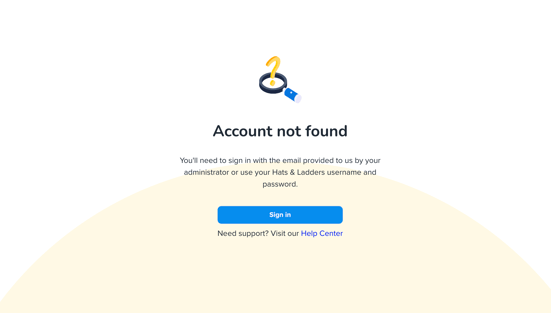
If you see an “Account Not Found” error, it means Hats & ladders couldn’t match the login credentials you entered to an existing account.
Troubleshooting for a New Account
For Climbers:
1. Account Setup
Confirm with your Coach (Teacher) that your account has been created. Your Coach needs to create an account for you to log in. If your Coach is unclear how to create an account, you can direct them to this article: Add Climbers.
2. Login Method
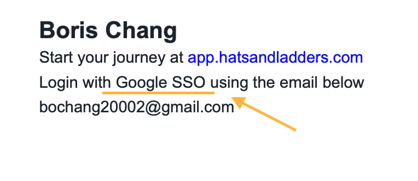
Make sure you’re using the correct login method. Check your login instructions to confirm whether you should sign in with a username and password, a Google account, or a ClassLink account.
For Coaches:
1. Account Setup
Confirm with your Staff (Program Manager / Site Director) that your account has been created. Your Staff needs to create an account for you to log in. If your Staff is unclear how to create an account, you can direct them to this article: Add Coaches.
2. Login Method
Make sure you’re using the correct login method. Check your login instructions to confirm whether you should sign in with a username and password, a Google account, or a ClassLink account.
For Staff:
1. Account Setup
Confirm with your Administrator that your account has been created. Your Coach needs to create an account for you to log in.
2. Login Method
Make sure you’re using the correct login method. Check your login instructions to confirm whether you should sign in with a username and password, a Google account, or a ClassLink account.
Troubleshooting for an Existing Account
For Climbers:
1. Login Method
If you’ve signed in successfully before, be sure you’re using the exact same login credentials you used the first time.
2. Account Reconfiguration
Check with your Coach to confirm that your account hasn’t been removed or updated. If your password has been changed, request new login instructions with the updated password.
For Coaches:
1. Login Method
If you’ve signed in successfully before, be sure you’re using the exact same login credentials you used the first time.
2. Account Reconfiguration
Check with your Staff to confirm that your account hasn’t been removed or updated. If your password has been changed, request new login instructions with the updated password.
For Staff:
1. Login Method
If you’ve signed in successfully before, be sure you’re using the exact same login credentials you used the first time.
2. Account Reconfiguration
Check with your Administrator to confirm that your account hasn’t been removed or updated. If your password has been changed, request new login instructions with the updated password.
If you are still are receiving an Account not Found Error message, please submit a Help Desk ticket for further assistance.